EasyPost Webhook Integration with WebhookBeam
Webhooks are a vital component for real-time communication between different applications and platforms.
1. Create your webhook URL
First, create your webhook URL in our WebhookBeam app, and then copy it. Learn how to create your first webhook URL.
2. Configure EasyPost Webhook
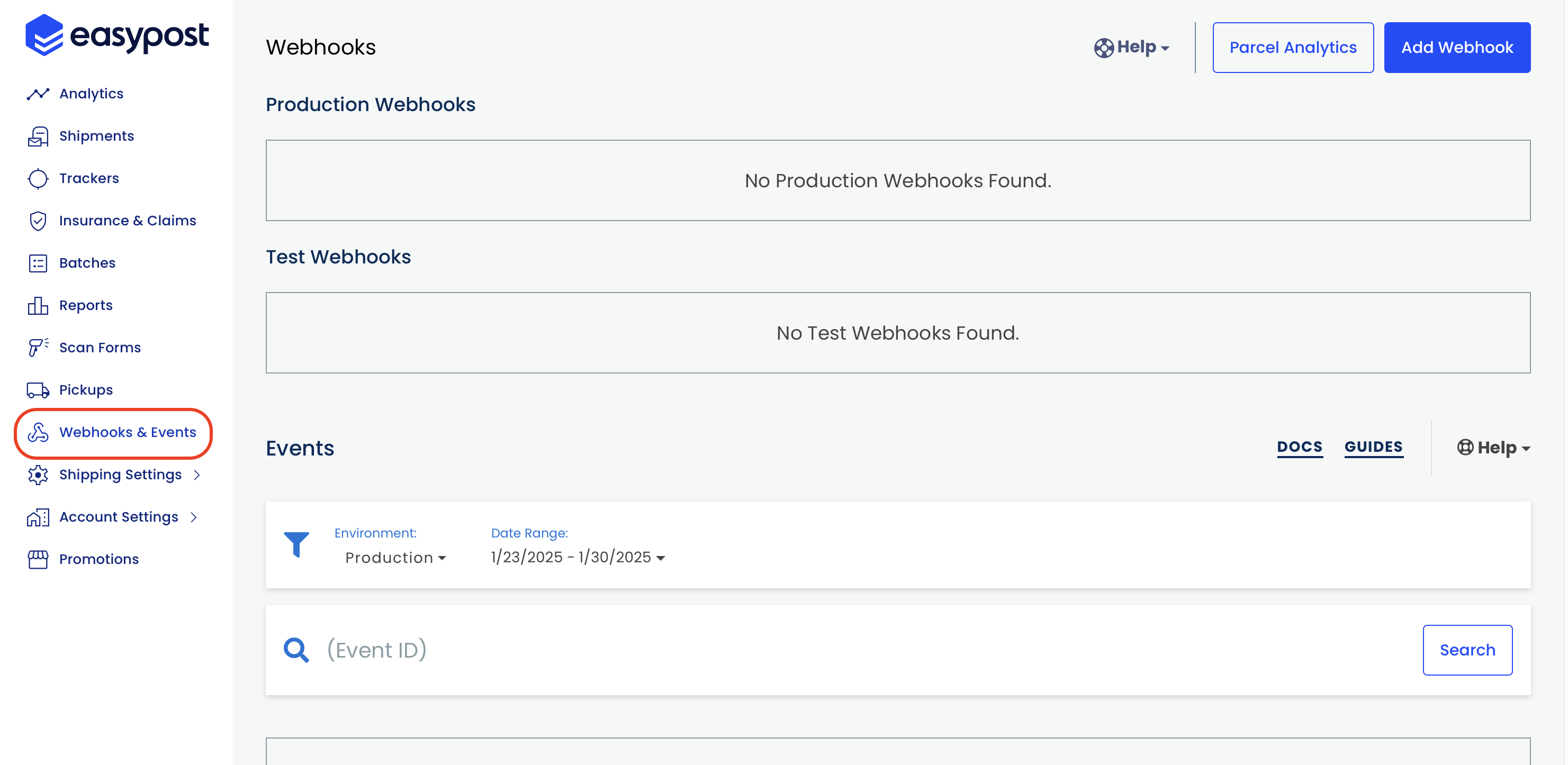
- On your EasyPost home screen, click Webhooks & Events
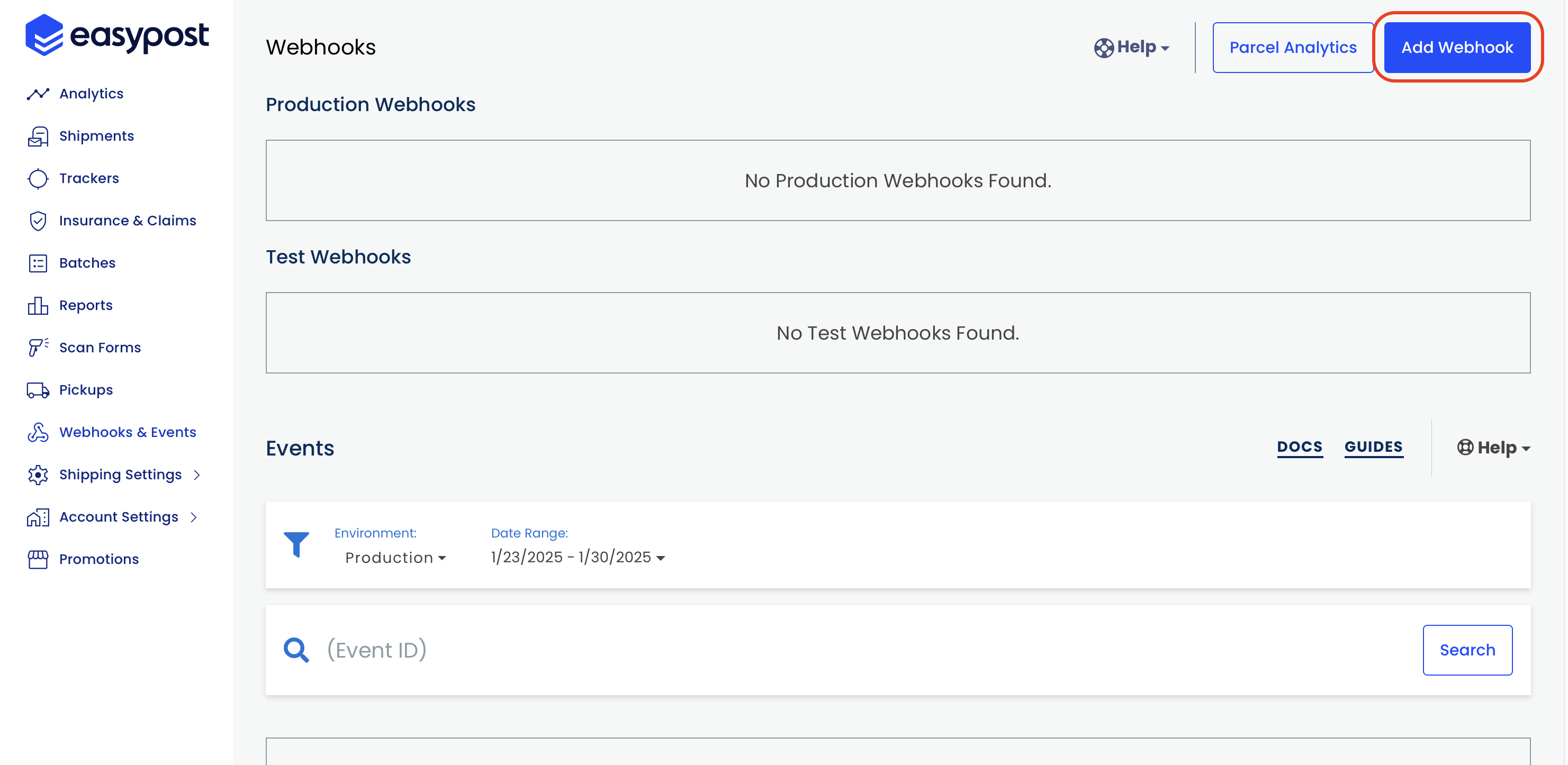
- Click Add Webhook
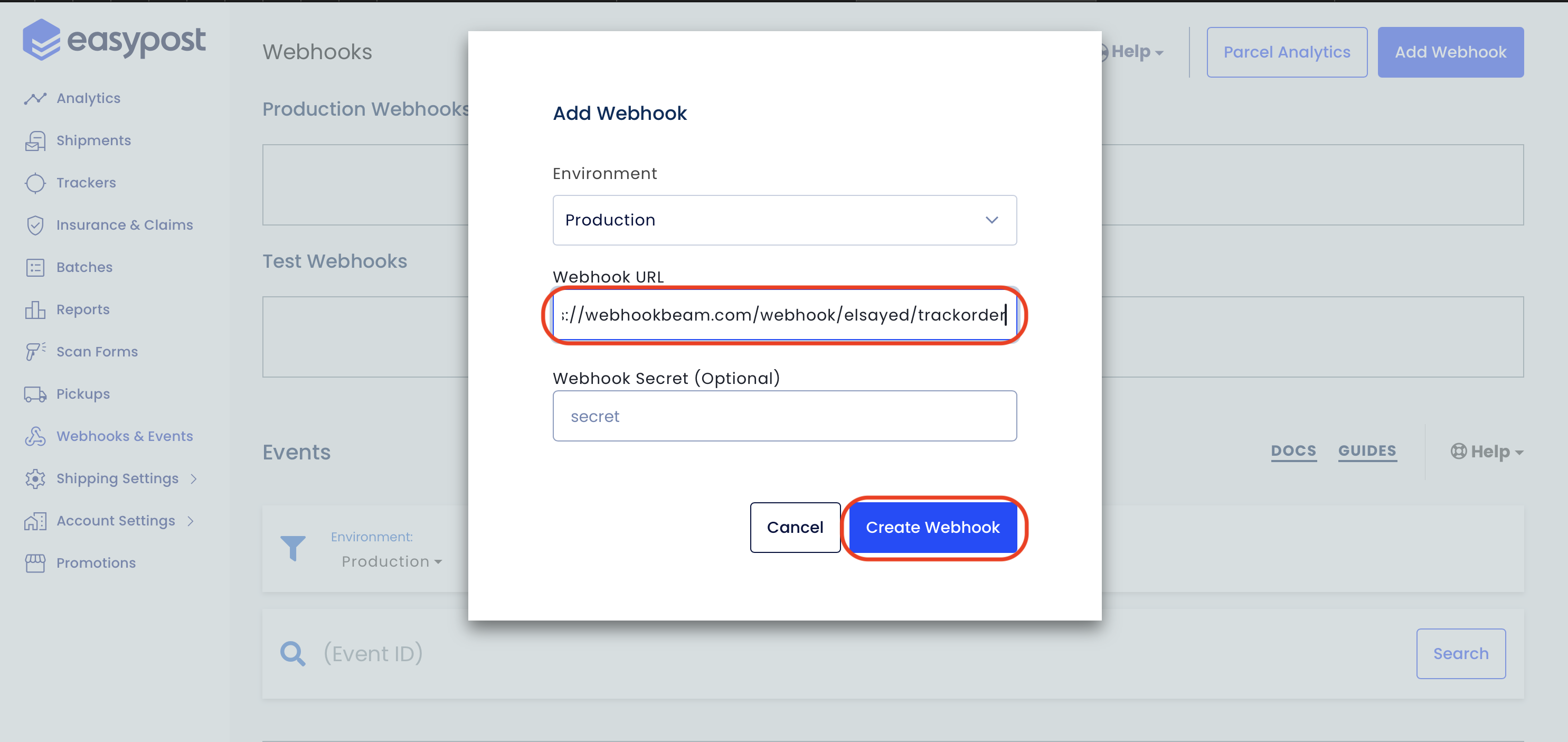
- Select the environment (Production or Test), enter the webhook URL in the Webhook URL field, and click Save
3. Receive Notifications
Whenever a webhook event is triggered, you will receive a push notification on the WebhookBeam app!