Webhooks are a powerful way for apps to communicate in real time. Unlike APIs that require continuous polling for updates, webhooks automatically send data when an event occurs - making them efficient, instant, and easy to scale.
How Do Webhooks Work?
Every webhook follows the same three-step lifecycle:
- Event Triggered - An action occurs in the source system (e.g., a customer completes a payment).
- HTTP POST Sent - The source system sends an HTTP POST request containing the event data to a URL you registered.
- Your Server Responds - Your server receives the payload, processes it (update a database, send an email, trigger a workflow), and returns a
200 OK.
Why Use Webhooks?
- Instant Updates - Events arrive the moment they happen, with no polling delay.
- Efficient - Dramatically reduces unnecessary API calls and server load.
- Flexible - Works for payments, notifications, CI/CD pipelines, data sync, and more.
Example Use Case: Payment Confirmation
When a customer completes a purchase, Stripe or PayPal fires a webhook to your server carrying the transaction details. Your app can instantly update the order status, send a receipt, and provision access - all without the user waiting.
Test Webhooks on WebhookBeam
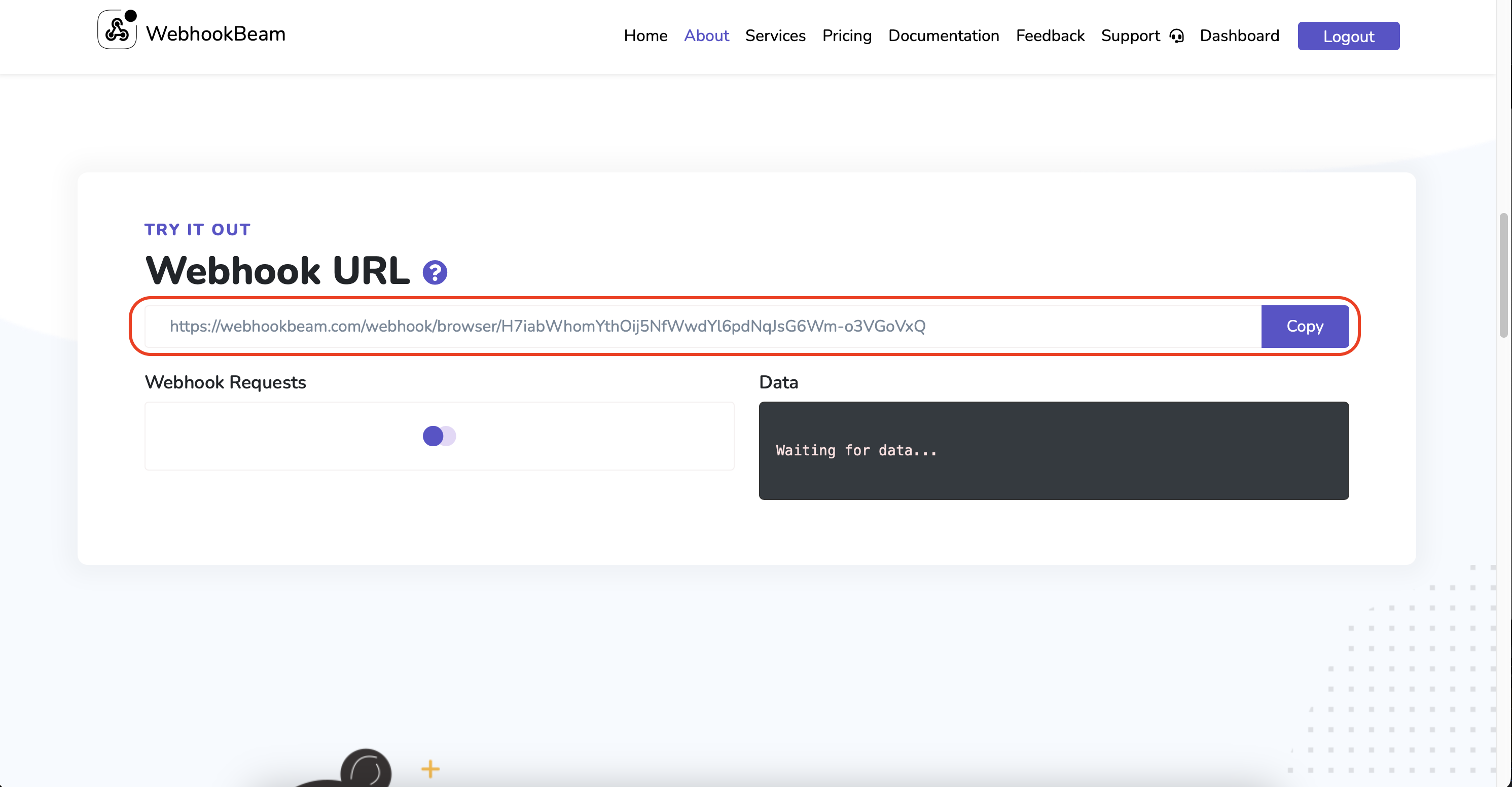
You can create a temporary webhook URL right from the WebhookBeam homepage - no login required.
- Click Copy on the homepage to get your unique test URL, then paste it into your service (Stripe dashboard, Shopify settings, etc.).
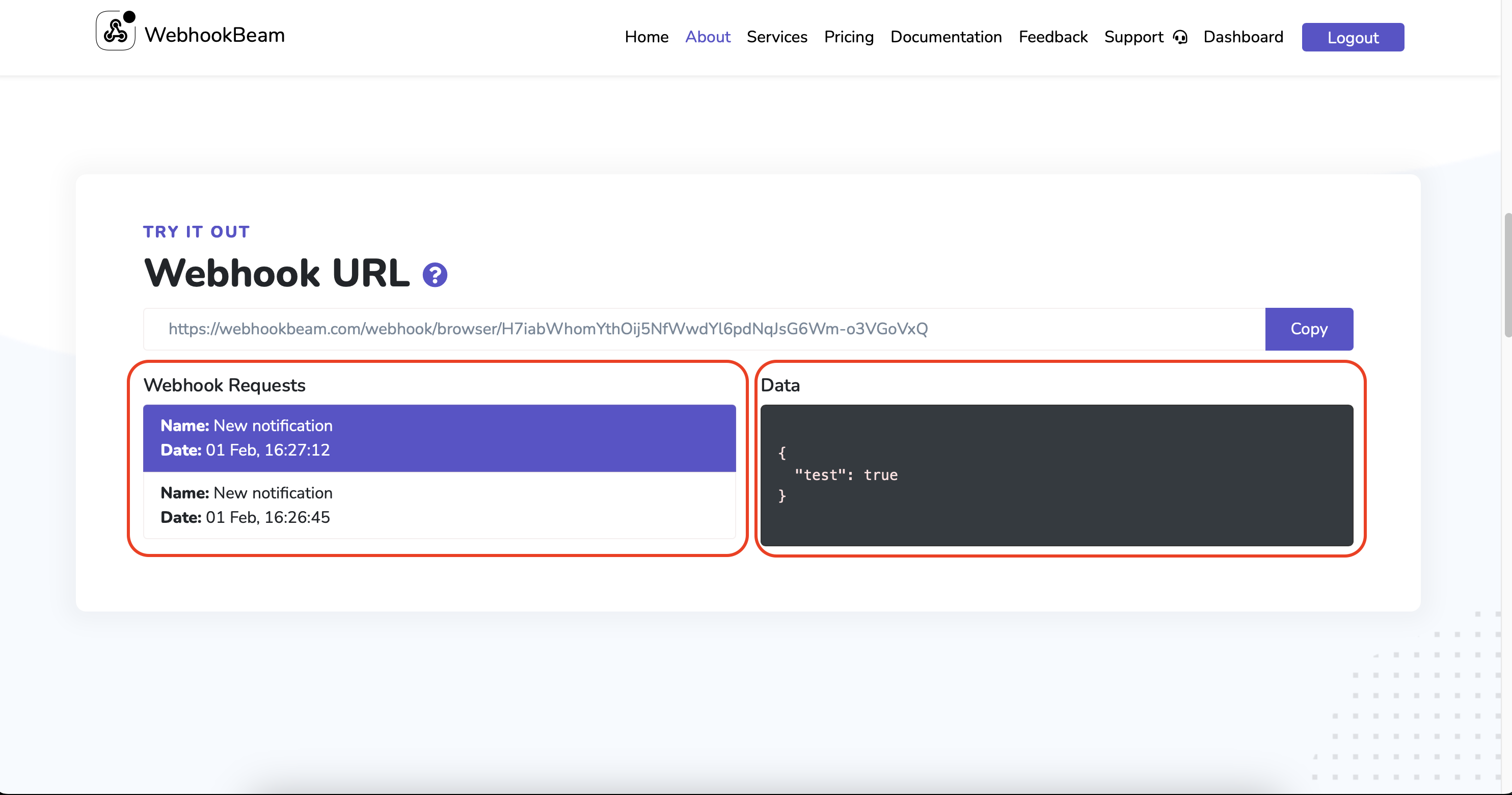
- Trigger a test event in your service. WebhookBeam will capture the incoming request and display the full payload in real time.
For More About WebhookBeam
Ready to go further? Check out the step-by-step integration guides for PayPal, LemonSqueezy, Shopify, and more in the documentation.
Start Monitoring Webhooks Instantly
Get push notifications for Stripe, PayPal, Shopify, RevenueCat & more. Free to start.
Get Started Free